
v2rayNG Download (Latest Version 2.1.8)
Latest Version: v2.1.8 Updated: June 1, 2026 Requires: Android 5.0+
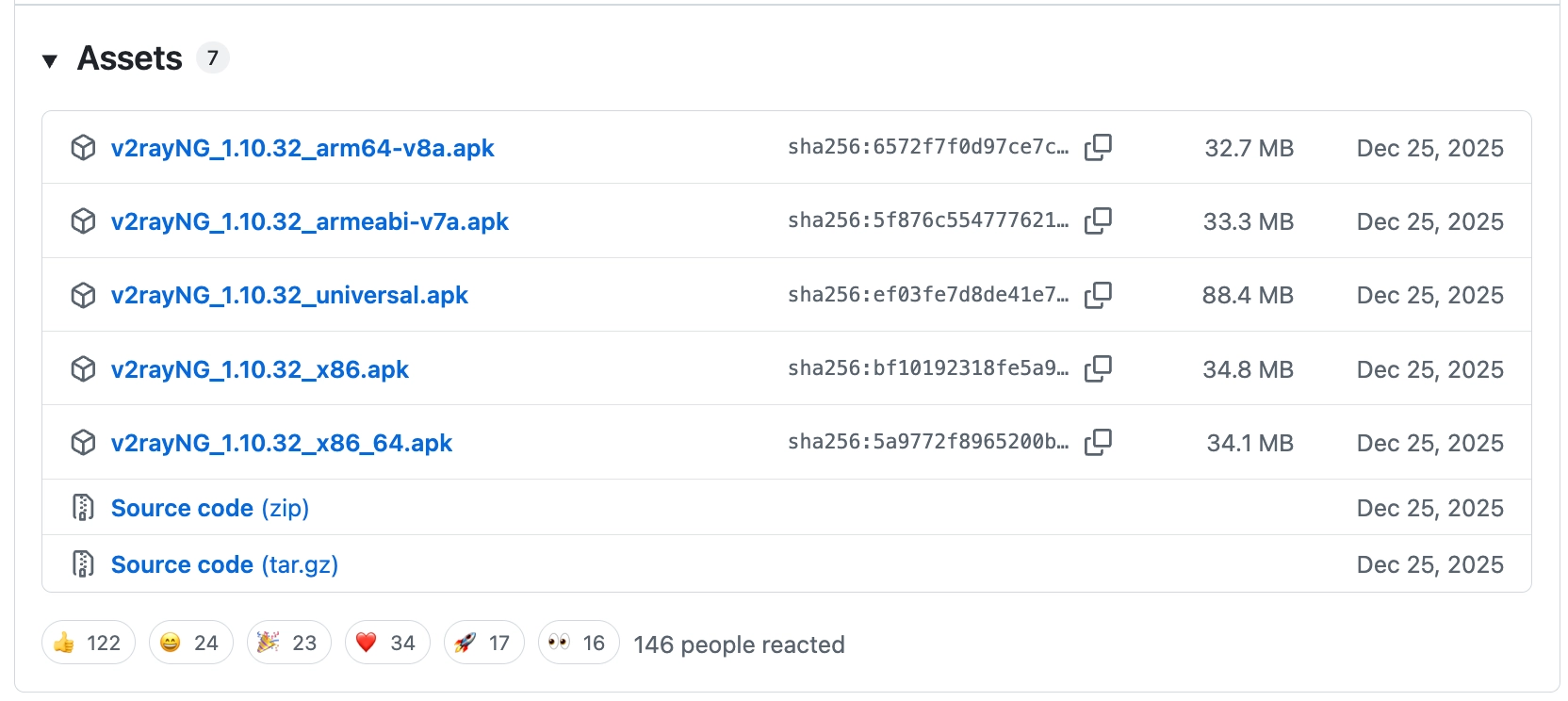
You can download v2rayNG APK from the official GitHub releases page, Google Play, or our mirror. Beginners: just download the universal version, it works on all Android devices.
Disclaimer: This site is a third-party documentation site and is not affiliated with v2rayNG developer 2dust or the GitHub project. All download links point directly to the official GitHub releases page. This site does not host or modify any installation packages.
v2rayNG is a V2Ray client running on Android devices, supporting multiple transport protocols and encryption methods with a graphical interface for easy configuration and management.
Download Method Comparison
| Method | Trust | Stability | Best For |
|---|---|---|---|
| GitHub Releases | ⭐⭐⭐⭐⭐ | ⭐⭐⭐⭐⭐ | All users, most reliable source |
| Google Play | ⭐⭐⭐⭐⭐ | ⭐⭐⭐⭐⭐ | Users with Google access |
| Mirror (accelerated) | ⭐⭐⭐⭐ | ⭐⭐⭐⭐⭐ | Users with slow GitHub access |
GitHub Download
v2rayNG GitHub Releases: https://github.com/2dust/v2rayNG/releases
Google Play: https://play.google.com/store/apps/details?id=com.v2ray.ang
Fast Mirror Download (v2rayNG 2.1.8)
GitHub can be slow at times. For faster downloads, we provide a mirror (Updated: 2026-06-01). Beginners: download the universal version.
| Version | Architecture | Size | Download |
|---|---|---|---|
| universal (Recommended) | Auto-detects device | 88M | Download |
| arm64-v8a | ARM 64-bit (high-end phones) | 33M | Download |
| armeabi-v7a | ARM 32-bit (most Android phones) | 33M | Download |
| x86 | x86 (Intel/emulators) | 35M | Download |
| x86_64 | x86 64-bit | 34M | Download |
Version Selection Guide
Not sure which to choose? Download the universal version. It automatically selects the correct architecture for your device, with the best compatibility.
APK package descriptions:
- universal (Recommended): Contains all architectures, automatically matches your device's processor type during installation. Suitable for 99% of users.
- arm64-v8a: For ARM 64-bit processors, suitable for high-end Android devices (e.g., Samsung S/Note series, Google Pixel).
- armeabi-v7a: For ARM 32-bit processors, suitable for most mid-range and older Android devices.
- x86 / x86_64: For Intel processors, suitable for Android emulators (e.g., BlueStacks, NoxPlayer) and some Intel-based tablets.
FAQ
How to Choose the Correct Architecture?
Not sure? Download the universal version. It automatically selects the correct architecture for your device.
Architecture guide:
- universal: All Android devices (Recommended)
- arm64-v8a: High-end phones and tablets from 2015 onwards
- armeabi-v7a: Older phones before 2015
- x86 / x86_64: Android emulators and Intel-based tablets
App Won't Open After Installation?
- Check if you've allowed installation from unknown sources (Settings → Security → Unknown Sources)
- Confirm the APK file downloaded completely (re-download)
- Check if your device has enough storage space
- Try a different architecture version
How to Update to the Latest Version?
- Visit the GitHub Releases page to download the latest version
- Or visit our Download Page for the latest version
- Simply install the new APK over the old one (no need to uninstall, settings are preserved)
- Your configuration and subscriptions will be automatically retained